DNS Record Types Explained (A, CNAME, MX, NS) — With Real Examples

When you type a website URL in your browser, something invisible but crucial thing happens in the background.
Then a simple question arises that :
“Where should be the next desition.”
Then those thing that answer this question is DNS(Domain Name System) — likewise DNS rocords are the rules that decide how and where these traffics are routed.
How DNS Answer : “Where Should This Request Go?“
Computers don’t understand domain names like example.com.
They understand IP addresses like:
93.128.216.34
DNS acts like a contact book :
You enter a name(Domain)
DNS finds the correct number(IP Address/ Server)
Then your call sent to the correct address(Required site or server)

What are DNS Records and why Do They Exist?
DNS records are instructions stored in DNS servers.
Each record answers a specific quesions, just like :
Where is all the websites Hosted?
Who manages all of these domain’s DNS?
That’s why DNS has different record types, not just one!
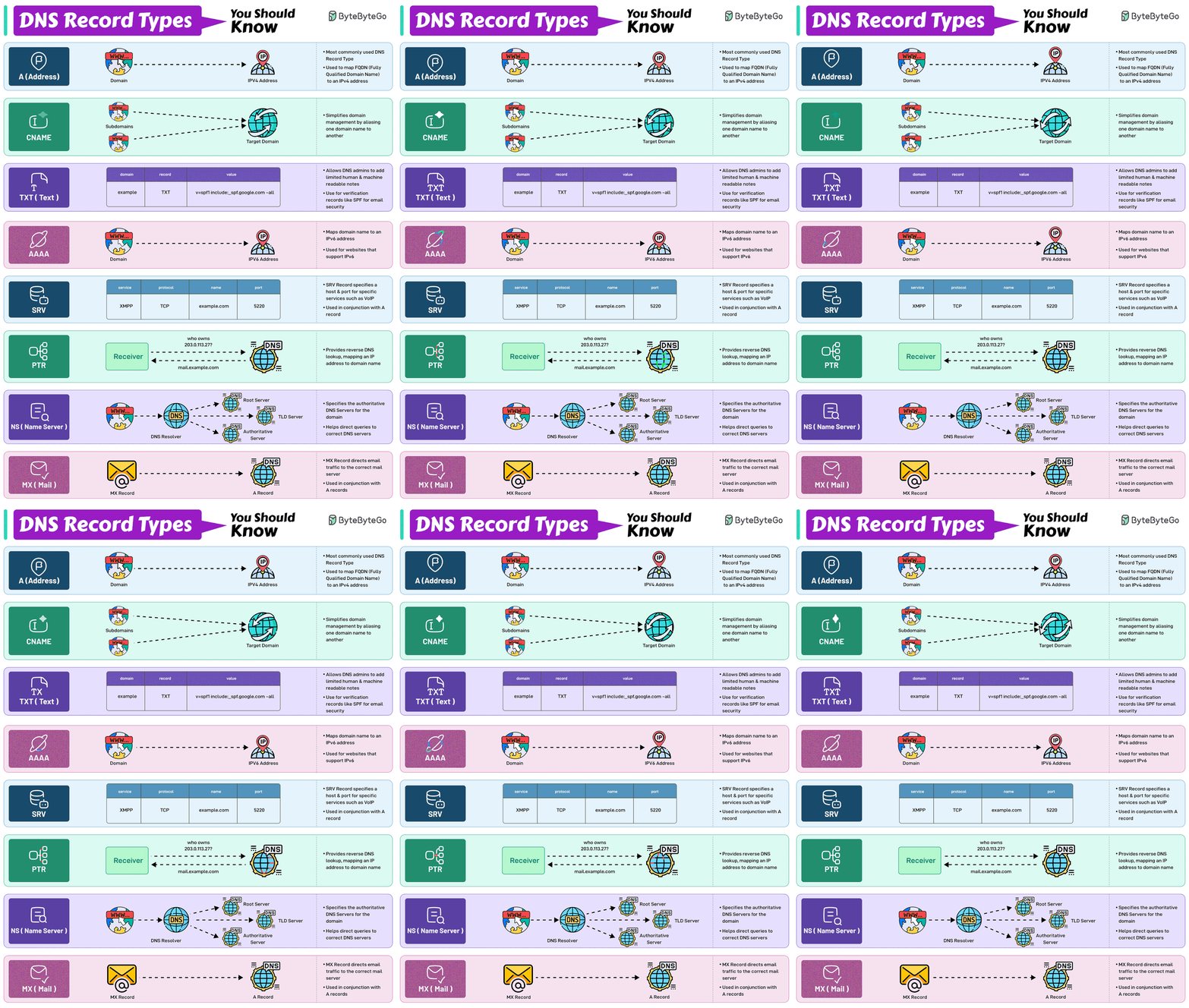
NS Record – Who is responsible for the domain?
NS stands for Name Server.
This record answers one basic question:
“Who is responsible for this domain?”
When the internet wants information about your domain,
the first thing it checks is the NS record.
Example:
ns1.hostingcompany.com
ns2.hostingcompany.com
Real-life example:
Imagine a company building,
NS record = main office reception
Every question goes there first
Without NS records, DNS would not know where to ask for domain details.

A Record — mapping domain names to IP addresses
An A Record maps a domain name(like www.example.com) directly to an IPv4 address (like 192.0.2.1).
The core components of A Records are :
Hostname: The Domain or subdomain
IP address: The destination’s IPv4 address
Time to live: How long the DNS server should cahce records
As for why A records of DNS sever required, It’s quite simple: You don’t have to remember IP addresses of your required websites, But you have to remember phases like www.example.com\
Similar there a DNS AAA Records, This match a domain name to an IPv6 address. DNS AAAA records are exactly like DNS A records, except that they store a domain's IPv6 address instead of its IPv4 address.
How DNS A Records Work
When someone types your domain name into a browser, a series of steps happen in the background:
1.The browser requests the IP address of that domain
2.The DNS resolver queries the authoritative name servers
3.The A record is returned with the matching IP address
4.The browser uses that IP to connect to the correct web server
DNS A records, in particular, are used for:
Directing a domain to your website’s IP address
Linking mail servers to IPs
Accessing home or office devices

Real-World Usage
Website Access: When you type a URL, DNS looks up its A record to find the server's IP address, loading the site (e.g., google.com -> 142.250.186.46).
Load Balancing: Multiple A records for one domain distribute traffic across several servers, preventing overload and improving speed.
Redundancy/Failover: If one server fails, DNS can automatically route users to another listed IP address, keeping the site online.
Multiple Names, One Server: Different domain names (e.g.,
site.com,www.site.com) can point to the same IP, simplifying management.Hosting External Services: Pointing a domain to an IP address hosted by a different provider (like a CDN or cloud service).
CNAME Record — Domain Aliases and Indirection
A CNAME (Canonical Name) record is a DNS record that creates an alias, pointing one domain or subdomain (like blog.example.com) to another (the "canonical" domain, like example.com), directing traffic to the same location without needing a new IP address, which is useful for services like email or CDNs.
Real-World Purposes and Uses :
Subdomain Management: The most common use is directing traffic from subdomains to a main domain (e.g.,
blog.example.com→example.com), which simplifies management and updates.Third-Party Service Integration (SaaS): Companies use CNAMEs to map their own branded subdomains (e.g.,
shop.example.com) to a third-party provider's address (e.g.,example-store.shopify.com).CDN Integration: Content Delivery Networks use CNAMEs to redirect users to the nearest edge server, improving load times.
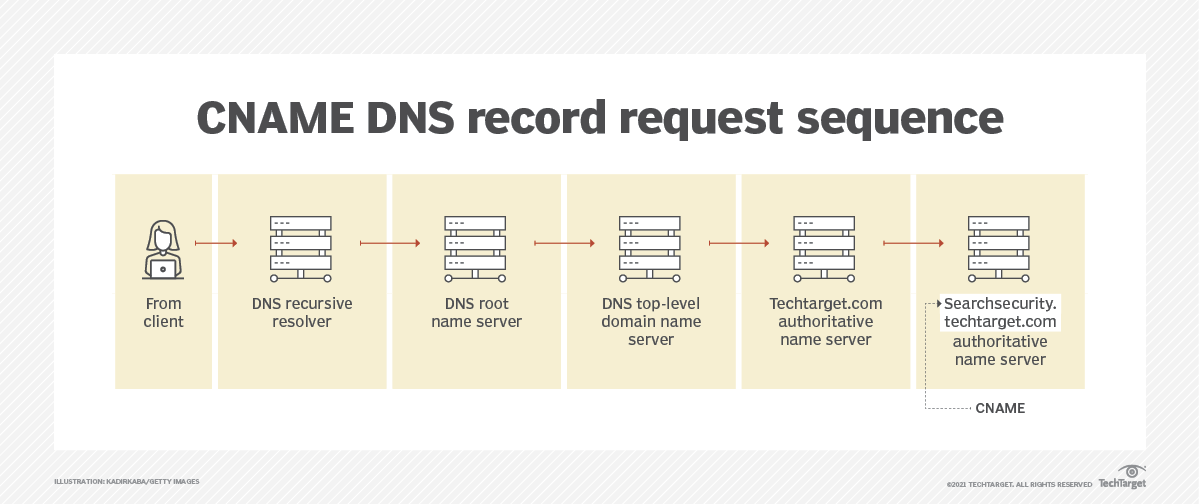
A very common confusion: A Record vs CNAME
Let’s clear this gently:
A Record → domain points to an IP address
CNAME → domain points to another domain name
CNAME never points directly to an IP. It always points towards an A Record DNS.
This is one of the most common beginner mistakes. Every Developer most be ever pass this phase of confusion. So is you also make this mistake or had some confusion then relax that is very common.
MX Record – How emails find the right place
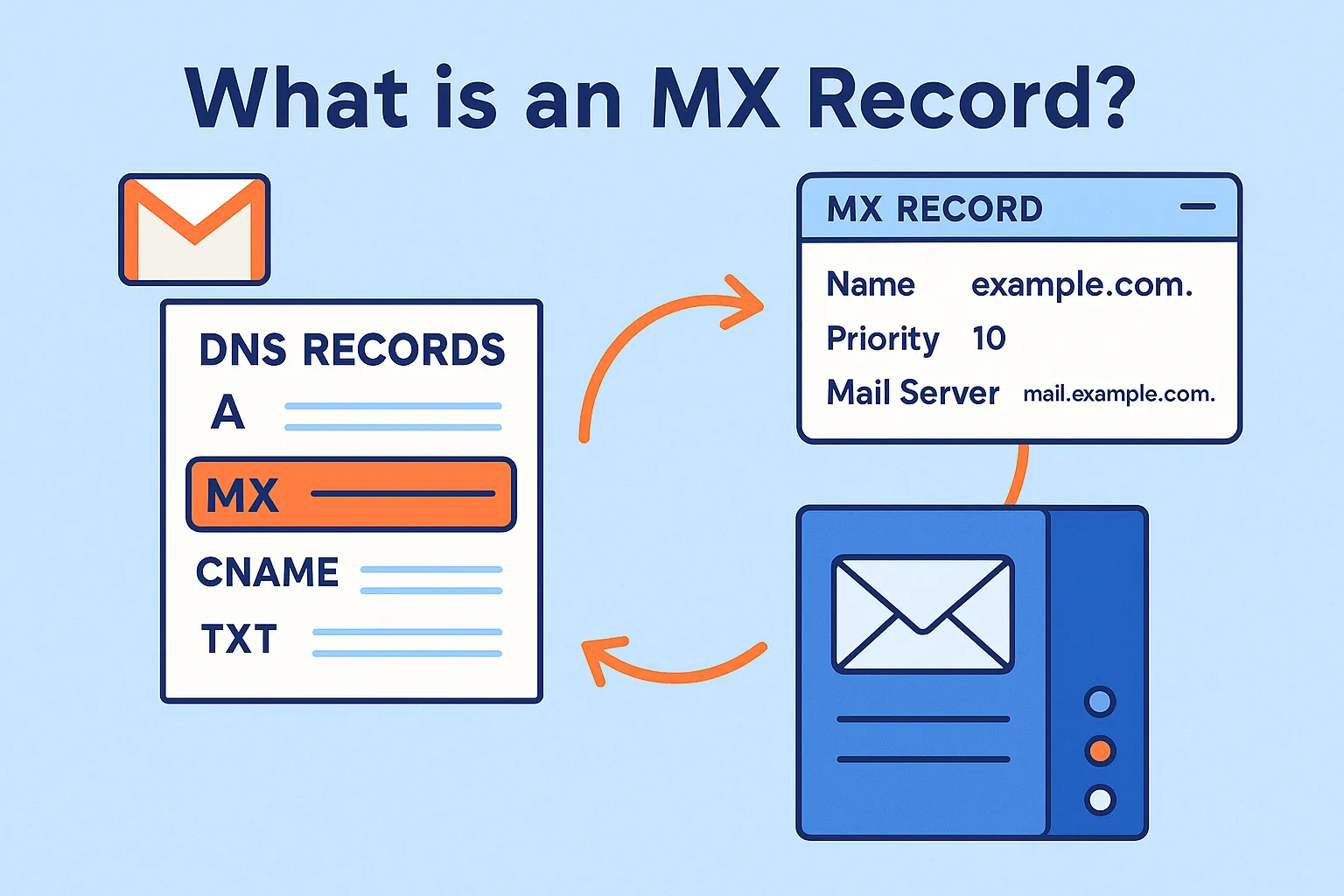
MX stands for Mail Exchange. MX records control email delivery, not websites.
They answer this question:
“When someone sends an email to this domain, where should it go?”
Example:
example.com → mail.google.com
So if someone sends an email to:
hello@example.com
DNS checks the MX record and routes the email to the correct mail server.
Real-life example:
Domain name = company name
MX record = post office address
Without MX records, email services simply doesn’t work.
TXT Record – Extra information and trust signals
TXT records store plain text information related to a domain.
They are mostly used for:
Verifying domain ownership
Email security (SPF, DKIM, DMARC)
Connecting external services
Example:
"google-site-verification=abc123"
TXT records don’t route traffic, but they are very important for security, trust, and authentication.
Think of them as small notes that prove:
“Yes, I really own this domain.”
How all DNS records work together for one website
Let’s imagine you own a website which you named as:
“myportfolio.com”
Behind the your vision, this is what happens:
First, NS records tell the internet which servers manage this domain.
Then A or AAAA records tell browser that where the website server is located.
CNAME records handle alternative names like www.myportfolio.com.
MX records manage email addresses like contact@myportfolio.com.
TXT records verify domain ownership and protect all the email delivery.


