JavaScript Arrays 101 — From To‑Do Lists to Code

Imagine you are organizing your day.
You wake up in the morning and write a small list in your notebook.
Buy groceries
Finish coding assignment
Watch a movie
Go for a walk
Now imagine if you had to store these tasks inside a JavaScript program.
You could do something like this
let task1 = "Buy groceries";
let task2 = "Finish coding assignment";
let task3 = "Watch a movie";
let task4 = "Go for a walk";
This works, but it quickly becomes messy. What if you had 50 tasks? Managing separate variables would become difficult.
This is where arrays come into the story.
An array is a way to store multiple values inside a single variable while keeping them organized in order. Instead of creating many variables, we store everything inside one structure.
Think of an array like a row of lockers in a school hallway. Each locker has a number and stores one item. The lockers are arranged in order so you always know where to find something.
In JavaScript, arrays work exactly like that. Each value is stored at a specific position called an index.
JavaScript Arrays
An array is a special variable that can store multiple values in a single container. These values are stored in order and can be accessed using their index number.
For example, imagine you want to store your favorite movies.
let movies = ["Inception", "Interstellar", "Avengers", "Batman", "Joker"];
Here the variable movies stores five different values. Instead of five separate variables, we use one array.
How to Create an Array
There are two common ways to create arrays in JavaScript, but the most common and easiest method uses square brackets.
let fruits = ["Apple", "Banana", "Mango", "Orange"];
Inside the square brackets we place the values separated by commas.
Each value inside the array is called an element.
In the fruits array:
Apple is an element
Banana is an element
Mango is an element
Orange is an element
All of them together form the array.
Accessing Elements Using Index
Here is something important to remember. In JavaScript, array indexing starts from 0.
That means the first element is not at position 1 but at position 0.
So if we have
let fruits = ["Apple", "Banana", "Mango", "Orange"];
The positions will be
0 → Apple
1 → Banana
2 → Mango
3 → Orange
To access an element, we use the index inside square brackets.
console.log(fruits[0]); // Apple
console.log(fruits[2]); // Mango
So if you want the first element, you use index 0.
If you want the third element, you use index 2.
Updating Elements in an Array
Arrays are not fixed. You can change values whenever you want.
Imagine you initially stored Mango in your list but later want to replace it with Pineapple.
let fruits = ["Apple", "Banana", "Mango", "Orange"];

fruits[2] = "Pineapple";

console.log(fruits);
Output
["Apple", "Banana", "Pineapple", "Orange"]
Here we accessed index 2 and replaced the value.
This is similar to replacing an item inside a locker.
Array Length Property
Arrays automatically keep track of how many elements they contain. JavaScript provides a property called length to know the total number of elements.
Example
let fruits = ["Apple", "Banana", "Mango", "Orange"];

console.log(fruits.length);
Output
4
The length property is extremely useful when working with loops because it tells us how many items exist in the array.
Basic Looping Over Arrays
Imagine you want to print every fruit stored in your array.
Instead of writing console.log multiple times, we use a loop.
let fruits = ["Apple", "Banana", "Mango", "Orange"];

for (let i = 0; i < fruits.length; i++) {
  console.log(fruits[i]);
}
How this works :-
The loop starts from index 0
It continues until it reaches the last index
Each iteration prints one element from the array
This makes it easy to process many items automatically.
Practice Example
Now let’s implement the assignment idea step by step.
Create an array of 5 favorite movies
let movies = ["Inception", "Interstellar", "Avengers", "Batman", "Joker"];
Print the first and last element
console.log(movies[0]);
console.log(movies[movies.length - 1]);
Change one value
movies[2] = "Spider-Man";
Print updated array
console.log(movies);
Loop through the array
for (let i = 0; i < movies.length; i++) {
  console.log(movies[i]);
}
Now your program can easily manage multiple values in a structured way.
Visual Understanding of Arrays
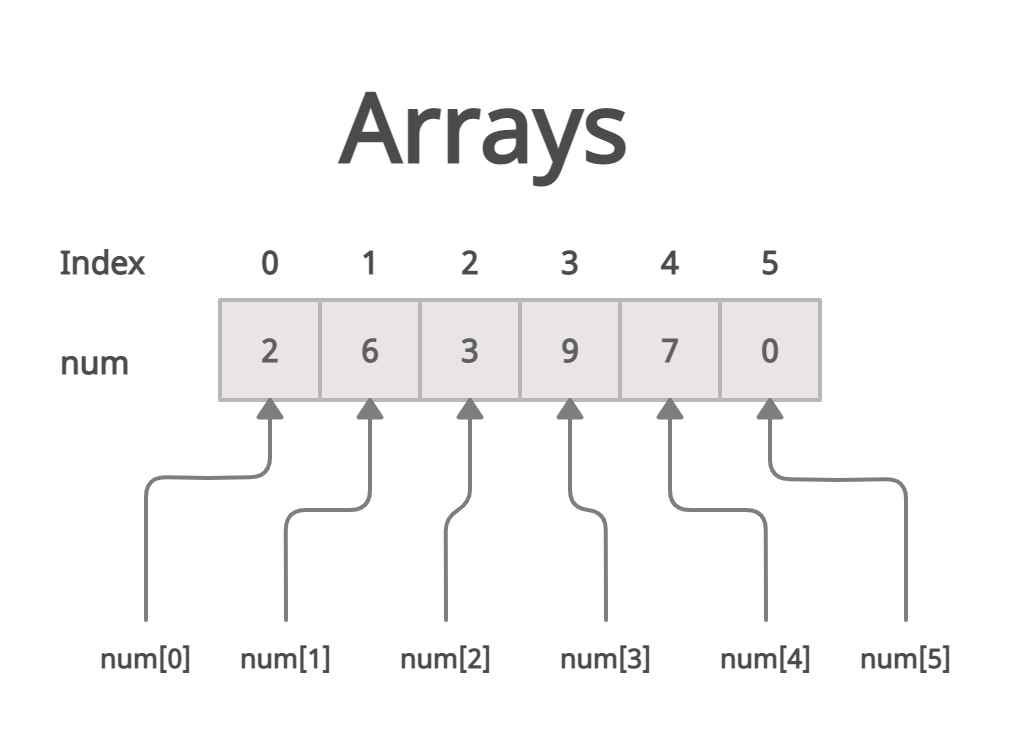
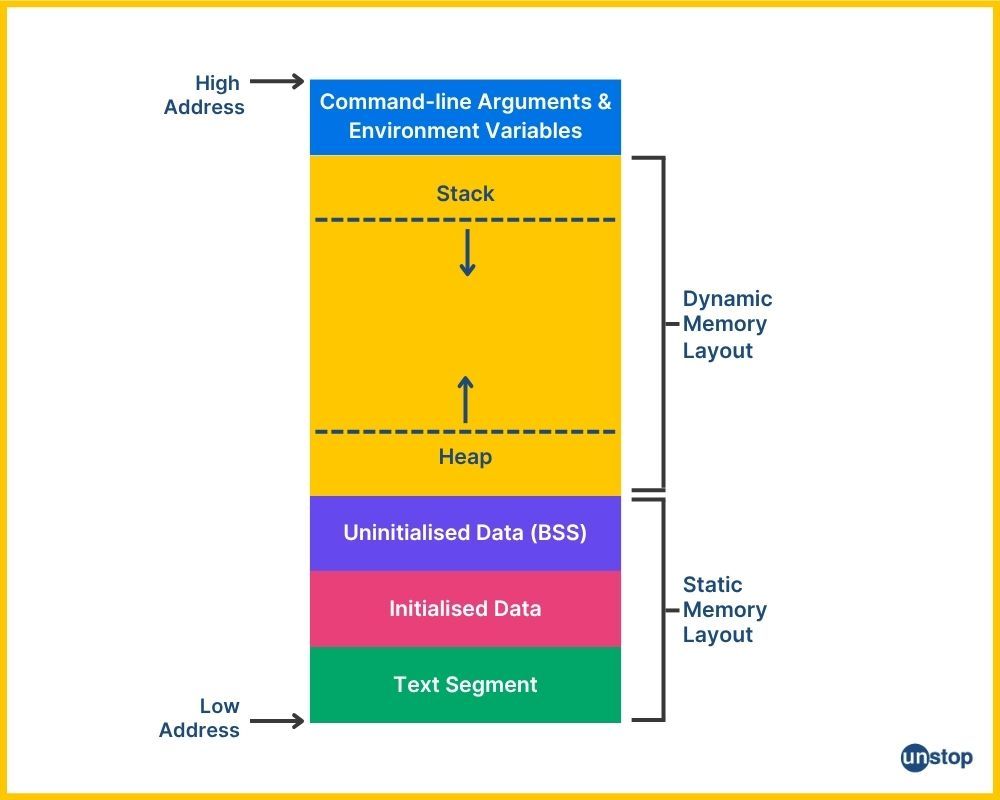
Think of the array as memory blocks in a computer.
Each block stores one value and every block has an index number that tells JavaScript exactly where the value is located.
Example representation
Index: 0 1 2 3
Value: Apple Banana Mango Orange
When we write
fruits[2]
JavaScript directly jumps to index 2 and returns Mango.
This indexing system is what makes arrays extremely fast and efficient.
Why Arrays Are Important
Arrays are one of the most fundamental data structures in programming. Almost every real-world application uses them.
For example
A shopping cart stores a list of products
A music player stores a list of songs
A to-do app stores a list of tasks
A game stores a list of player scores
Without arrays, managing such collections would be extremely difficult.


