Understanding Git: A Deep Dive into the .git Folder and Its Functionality
How Git Works Internally
first, when we git init then a .git/ named folder automatic created, which contains history, commits, and branches
Git has 3 area
1st- Working directory — The area where the work place, where we write the code like git init, git add, git commit -m “msg” is called the working directory
2nd- Staging area — After adding the git it appears here, and the code is ready to be committed
3rd- Repository(Repo) — Everything is here like history, commit, branches
git commit -m “msg”
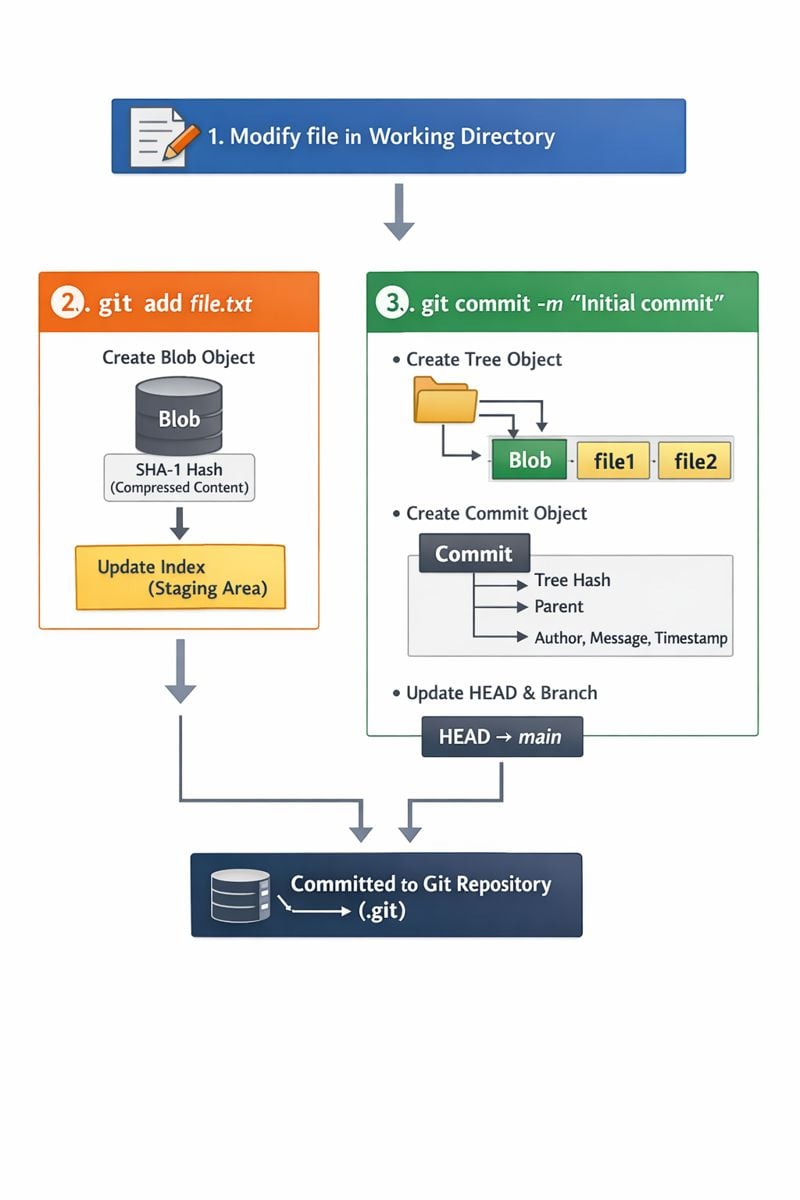
- git add, What does it do internally ?
-git init adds the file to the staging area , It has not been committed yet
- git commit, What does it do internally ?
-Tree is formed ,
Creates commits ob
jects,
-Links to the parent commit,
-Updates the head,
What is head ?
This tells us which branch/commit we are currently on
short flow
git init ==> git add ==> staging (Index) ==> git commit ==> head change
2. Understanding the .git Folder
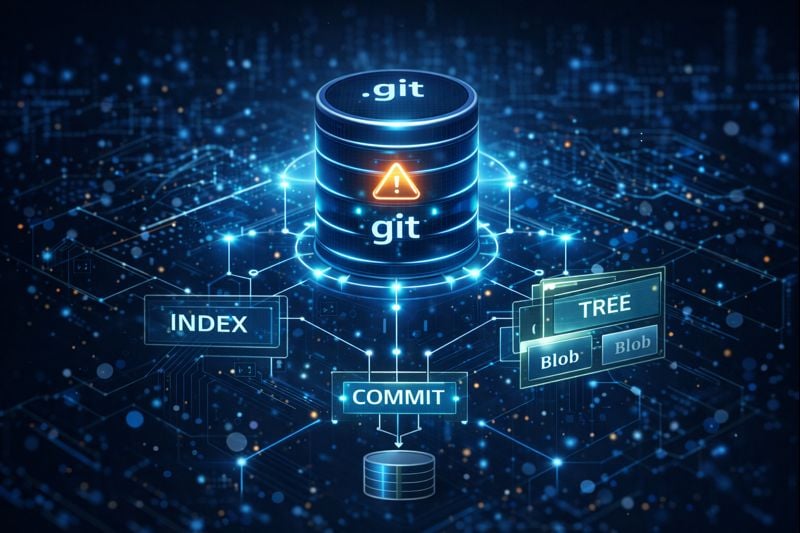
The .git folder is a hidden directory that contains all the necessary information for a git repository to function . It is essentially the database and control for your entire project, tracking change, commit, and branch
Why the .git folder is exist
The .git folder is exists to enable git’s core functionalities:
(1). Version control
(2). Offline works
(3). Collaboration
(4). Data integrity
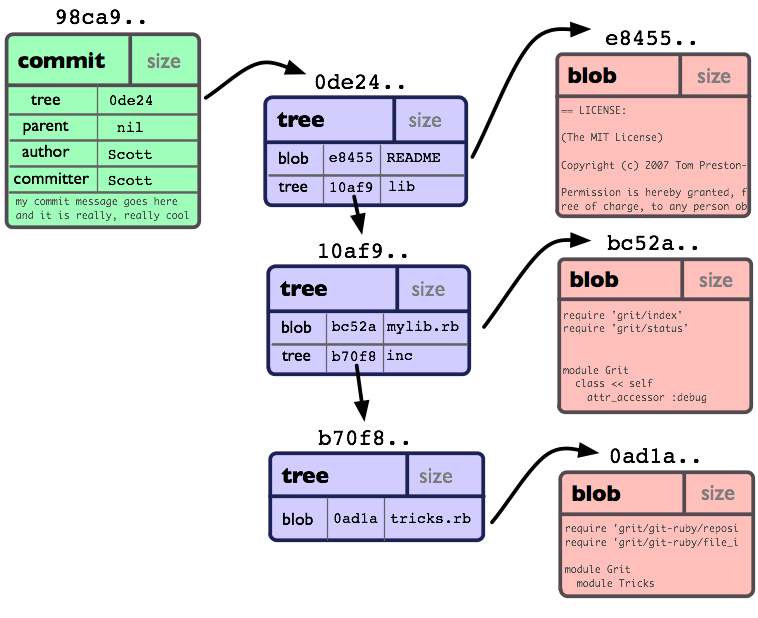
3. Git Objects: Blob, Tree, Commit
Blob :-
blobs stores only the content of the file
Data inside the file = Blob
File name not stored in git blob
Tree:-
Tree object is like a folder
Which file is it
Which folder is it
File name
Blob hash of file : index.js, app.js==>blob hash
Commit:-
Reference to a tree
Parent commit (Previous version)
Author
Date & Time
Commit message
commit==>tree==>blob

4. How Git Tracks Changes:-
Git snapshot leta hai
Geet takes a snapshot of the entire project on every commit.
Agar koi file change nahi hui, to Git uska reference reuse karta hai (duplicate copy nahi banata).
Content-based tracking
Git file ke content ka hash banata hai like (SHA-1 / SHA-256)
If even one character changes in the content, the hash will change
How .git directory structure works

Relationship between commits, trees, and blobs

Internal flow of git add and git commit