Understanding Variables and Data Types in JavaScript

Imagine a futuristic smart city where every device stores information about people entering the system.
The system needs to remember things like:
A person’s name
Their age
Whether they are a student
To store this information, the system needs containers.
In programming, these containers are called variables.
Variables allow us to store, update, and use information inside our programs.
In this article, we will explore:
What variables are
How to declare them
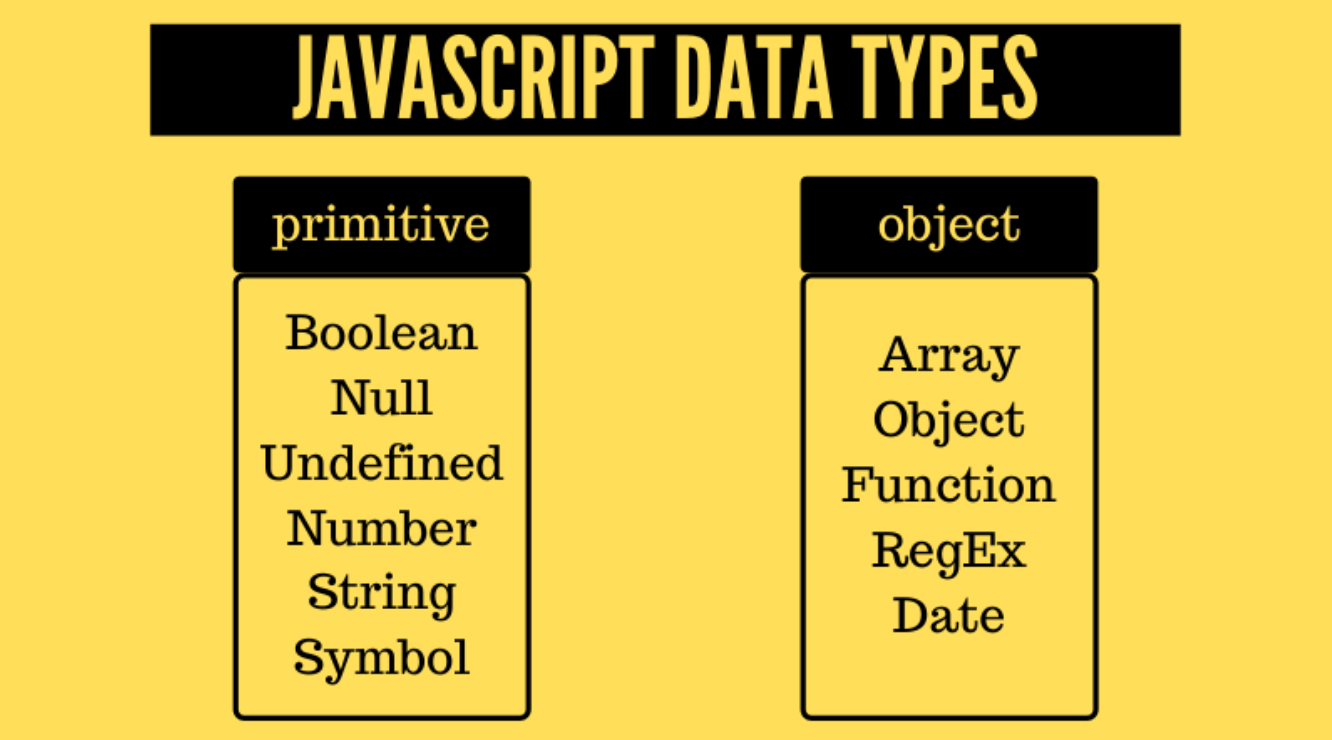
What data types are
The difference between
var,let, andconstWhat scope means in JavaScript
What Variables Are and Are Their Needs
Think of a variable like a labeled box.
You put something inside the box, and you can later open it to use the value.
Example in real life:
Box Label → Name
Inside Value → Mahesh
In JavaScript, it looks like this:
let name = "Mahesh";
Here:
name→ variable name"Mahesh"→ value stored inside the variable
Now the program can use the value anytime.
Example:
console.log(name);
Output
Mahesh
Variables help programs store information that can be used later.
How to Declare Variables
In JavaScript, variables can be declared using:
varletconst
Example:
var city = "Delhi";
let age = 20;
const country = "India";
Each keyword works slightly differently.
Primitive Data Types in JavaScript
A data type defines the kind of value stored in a variable.
JavaScript has several primitive data types.
String
A string stores text.
Example:
let name = "Rahul";
Here "Rahul" is a string.
Number
A number stores numeric values.
let age = 21;
Examples of numbers:
10
3.14
100
Boolean
A boolean represents true or false.
Example:
let isStudent = true;
Possible values:
true
false
Null
null means an empty value intentionally assigned.
Example:
let result = null;
It means the variable exists but currently holds no value.
Undefined
undefined means a variable is declared but not assigned a value yet.
Example:
let score;
Output:
undefined
Basic Difference Between var, let, and const
These keywords differ in how they behave.
Comparison Table
Keyword    Can Change Value      Scope        Recommended Use
--------------------------------------------------------------------------
var         Yes                 Function      Avoid in modern JS
let         Yes                 Block         Use for changing values
const       No                  Block         Use for constant values
Example:
let age = 20;
age = 21;
This works because let allows value changes.
But const cannot be changed.
Example:
const country = "India";
country = "USA";
This will produce an error.
Example Demonstration
let score = 10;
score = 15;

console.log(score);
Output
15
But with const:
const pi = 3.14;
pi = 3.1415;
This will cause an error because const values cannot change.
What is Scope?
Scope means where a variable can be accessed in the code.
Think of scope like a room in a building.
If something is inside a room, only people inside that room can access it.
Similarly, variables declared inside a block {} are only accessible inside that block.
Example:
{
  let message = "Hello";
  console.log(message);
}
This works inside the block.
But outside:
console.log(message);
It will produce an error.
Simple Scope Visualization
Program Start
   |
   |
   ├── Global Scope
   |       |
   |       └── variable available everywhere
   |
   └── Block Scope { }
           |
           └── variable accessible only inside block
Example:
let name = "Mahesh";

if(true){
  let age = 20;
  console.log(age);
}

console.log(name);
name works everywhere.
age works only inside the block.
HandOn Practice
Try these examples in your browser console.
Declare Variables
let name = "Mahesh";
let age = 21;
let isStudent = true;
Print them:
console.log(name);
console.log(age);
console.log(isStudent);
Output
Mahesh
21
true
Try Changing Values
Example with let:
let age = 21;
age = 22;

console.log(age);
Output
22
Example with const:
const country = "India";
country = "USA";
This will produce an error.
Observe the difference between let and const.


